

Gemini Extensions
How to Turn Gemini Into Your Personal Second Brain
4/2/20262 min read
The Silent Revolution in Your Routine
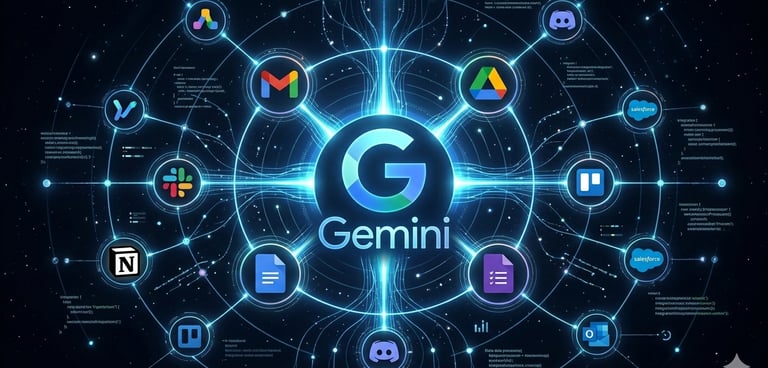
Imagine all your favorite apps finally starting to talk to each other, with a central intelligence orchestrating everything in the background. Gemini integrations aren’t just chat tools; they’re the fabric that connects your email, documents, and calendar into a single, intelligent ecosystem. In 2026, productivity isn’t about working more; it’s about letting invisible technology handle the mechanical tasks so you can focus on what’s creative and strategic. At ViaSaaS, we believe the future belongs to those who master this “arsenal” of connections, turning digital chaos into a seamless, minimalist workflow.
Where Gemini Works for You
Google Gemini has a powerful but still underexplored feature: Extensions. They allow the AI to access your apps like a real-time database. This means the chatbot moves beyond generic answers and starts having contextual conversations. It can read the email you need to reply to, understand your writing style, and suggest the perfect response, or even dig through PDFs buried in your Drive to extract specific information and summarize long meetings without you having to open file after file.
These integrations truly shine when they move from theory to practice. In Gmail, Gemini can read a 20-email thread and generate an executive summary in seconds. In Google Docs, it acts as a co-author that understands the context of your files and suggests entire paragraphs. In Google Sheets, the integration lets you build complex tables and analyze data simply by describing what you want, eliminating the need to memorize complicated formulas. AI stops being a website you visit and becomes a native feature of the tools you already use.
How to Activate Your New Assistant
The best part is that you don’t need a business account to get started. If you use Google with a personal account (@gmail.com), just open Gemini, click on the “Settings” icon (or the puzzle piece icon), and enable the Google Workspace, Maps, and YouTube Extensions.
For those using Google Workspace (paid version), the process is similar, but with the added bonus of having the Gemini button appear directly inside Docs and Gmail. If your goal is to connect Gemini to external tools, like a CRM or Notion, the secret is to use Zapier or Make. These platforms act as “bridges” where you can define simple rules (e.g., “every time I receive feedback, Gemini should summarize it and save it to Notion”) without writing a single line of code.
10 Tools to Power Your Integration
Although Gemini connects natively with Google apps, here are some tools that support API integrations (via platforms like Zapier) or offer direct extensions to optimize your workflow:
Google Drive (Native)
Gmail (Native)
Google Calendar (Native)
YouTube (Native)
Google Maps (Native)
Notion (via Zapier/Make)
Slack (via Zapier/Make)
Trello (via Zapier/Make)
Discord (via Zapier/Make)
Microsoft Outlook (via Zapier/Make)
The Next Step in Your Arsenal
Gemini integration is just the starting point for a lighter, more efficient daily routine. To complement this setup, consider exploring Perplexity AI for fast, source-based research, ElevenLabs for natural voice narration, and Canva Magic Studio for assisted design. The ultimate goal is always the same: simplify processes so you can take back control of your time. By adopting these technologies, you’re not just using software; you’re building a solid foundation to scale your digital presence with quality and precision.
Sign up for our newsletter
Be updated about AI with one email per week
Contact
Subscribe
contact@viasaas.com
© 2025. All rights reserved.